Aim is a dialogue with a given bitmap, as well as two firm elements with a plan cutting.
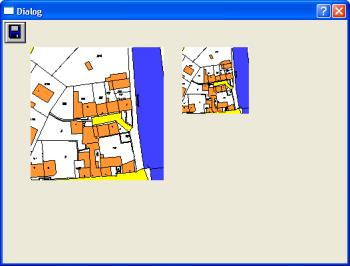
The big cutting follows every change in the data continuance, the small cutting remains firm, even if the data of the Workfiles change.
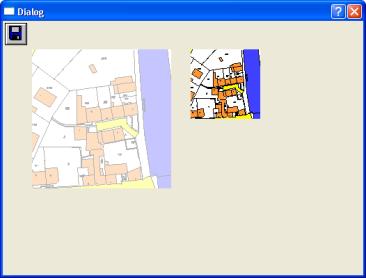
This result is generated by the following easy dialogue box:
--- DialogDefine 1999
DIALOGUE DIALOG_1 DISCARDABLE 20, 40, 345, 225
STYLE DS_MODALFRAME | WS_OVERLAPPED | WS_CAPTION | WS_VISIBLE | WS_SYSMENU
CAPTION "Dialogue"
FONT 8, "Helv"
BEGIN
CONTROL"-1 200 200 200 3485180 5473100 3485280 5473200", 101, "STATIC", SS_BITMAP | WS_CHILD | WS_VISIBLE, 28, 25, 100, 200
CONTROL"-2 201 100 100 3485180 5473100 3485280 5473200", 102, "STATIC", SS_BITMAP | WS_CHILD | WS_VISIBLE, 180, 25, 50, 100
CONTROL "10000", 103, "STATIC", SS_BITMAP | WS_CHILD | WS_VISIBLE, 2, 2, 26, 26
The box exists of three Controls:
Control 101 shows the plan cutting between () and () by a size of 2,00*,200 pixels. Every change in the plan becomes visible also in the dialogue. This is reached by-1 in the text of the Controls. The following 200 is the ID under which the graphics are accessible (AnyGetinfo ROOT VIEW). The whole text has the construction:
-1 ID BMPbreite BMPhöhe x1 y1 x2 y2
Control 102 is drawn once, shows the graphics area between () and () by a size of 1,00*,100 pixels and remains after the drawing firm. This is reached by the first number-2 in the text.
Control 103 shows the Icon / the bitmap with the number 10000. A list of the Icons is included in the table manual. Even if the Icon like a badge looks these are firm graphics without interaction.