The Icons are put down in the masks always as a number. These figures are firmly given in Moskito.
One receives a list of the Icons over the window "additional graphics".
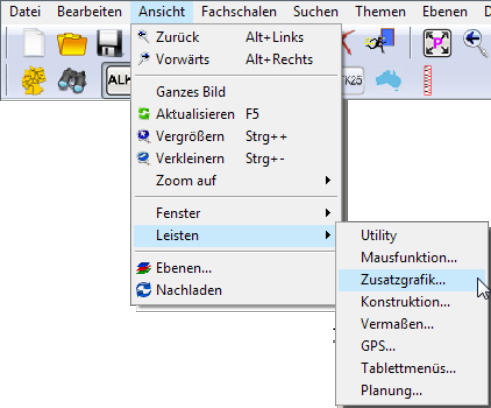
Near the window "additional graphics" one reaches about the menu strip view | Strips | Additional graphics...
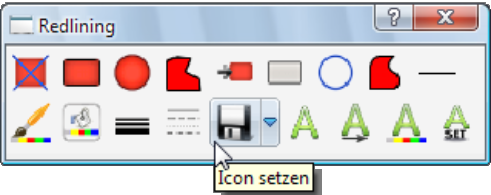
It opens the dialogue window "Redlining" to itself. Here one reaches about the choice „Icon place“ to the Icon-Bibiothek.
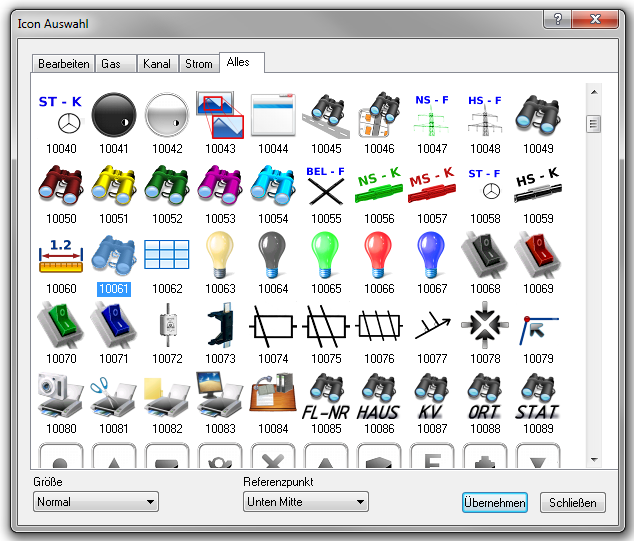
It is based a window with all built-in Icons. Under the Icons the number of the Icons is given.
•The number of the Icons is firm. With new program versions other ones can appear.
•Should you miss an Icon, can have you the possibility, own Icons in the Moskito's list:
•To insert LW:\...\Moskito\rahmen\Bitmap\Toolbar. The area from 10500 to 10599 is planned as a customised area. After actualisation of the Workfiles are the Icons added anew component of Moskito.
•The Icons can be also used in the Batchdateien for the tool bar entries.
•The Icons can be used in dialogue boxing.